Getting Started
Victory Securities' getting started guide gives new clients a clear path through the trading platform and investment services. It covers account opening, account setup, deposits and withdrawals, Hong Kong and U.S. stock trading, virtual asset services, and common platform operations. Browse by category to understand each step, key requirements, important reminders, and what to expect next as you build a secure, compliant, and efficient investing experience. As the first licensed financial group in Hong Kong authorized by the SFC for both virtual asset trading and advisory services, we are committed to providing clear, beginner-friendly tutorials to help new investors get started with securities and cryptocurrency trading from scratch.
Beginner's Guide
DCA (Dollar-Cost Averaging) Strategy
- What is DCA? Dollar-Cost Averaging (DCA) is a long-term investment strategy designed for steady capital accumulation. It involves investing a fixed amount of capital into a specific asset at regular intervals, regardless of market fluctuations. By adhering to a consistent contribution plan, investors can effectively mitigate the impact of short-term volatility, neutralize emotional biases, and lower the average cost of entry over time.
- Cost Averaging & Market Volatility Mitigation DCA eliminates the need for "perfect market timing." By investing fixed amounts periodically, you smooth out the price volatility of virtual assets. This is an ideal risk-mitigation tool for high-net-worth clients looking to diversify their long-term portfolios.
- Automated Execution & Time Efficiency Once your strategy is configured, the system executes trades automatically. This removes the need for constant market monitoring, aligning with the "efficient asset management" habits of professional investors who prefer to focus on core strategic decisions.
- Disciplined Accumulation & Wealth Preservation By automating monthly contributions, DCA converts liquid capital into long-term investment positions. This systematic approach fosters wealth appreciation and consistent capital growth, meeting the "steady appreciation and wealth preservation" requirements of sophisticated investors.
- Auto-Invest (DCA) Plan: Creation Guide
- Supported Markets: Virtual Assets (VA)
- Supported Trading Pairs: BTC/USD.hashkey, BTC/HKD.hashkey, BTC/USDT.hashkey, ETH/USD.hashkey, ETH/HKD.hashkey, ETH/USDT.hashkey
- Supported Account Type: HashKey
- Entry Paths
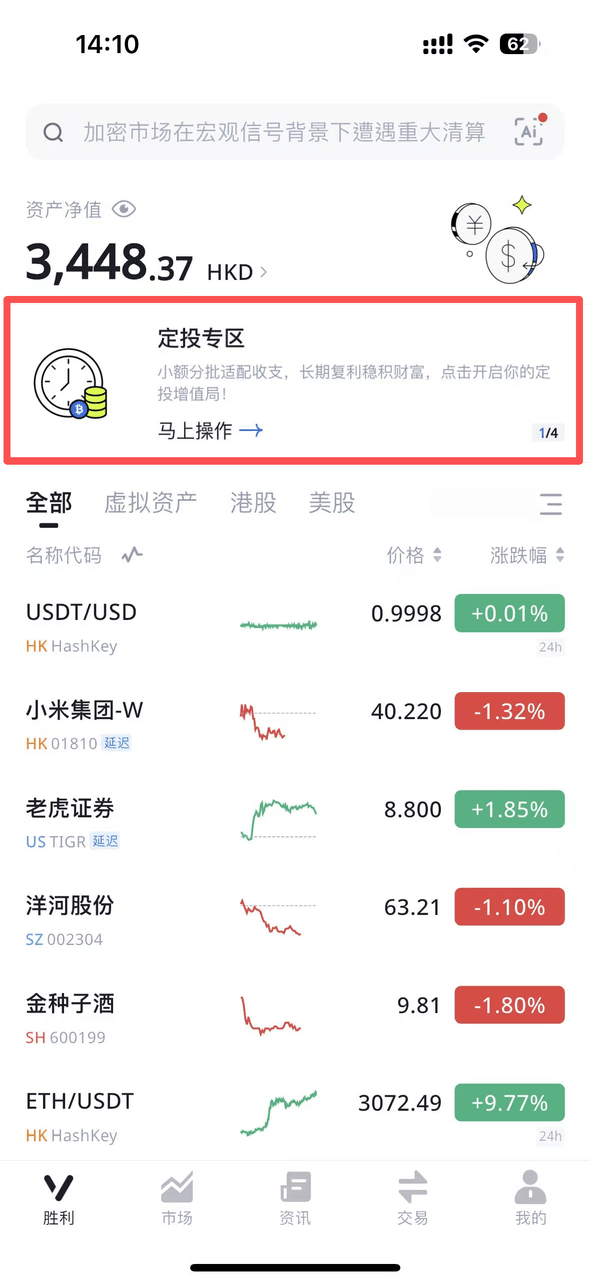 Victory - Recurring Zone | 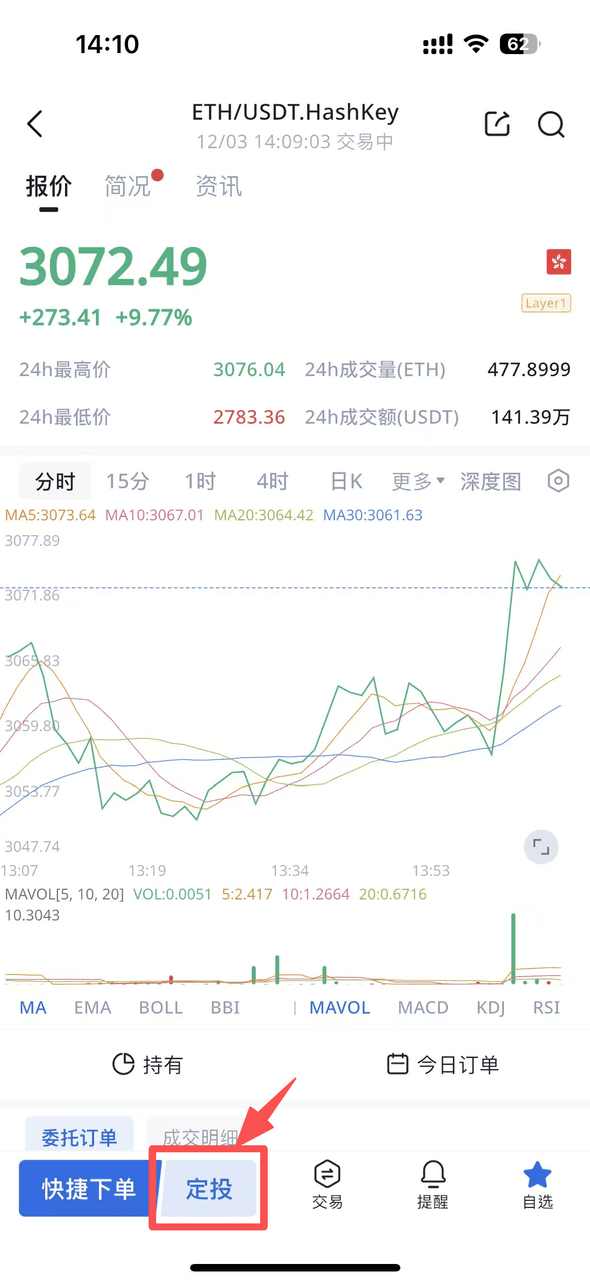 Located next to the "Quick Order" button on supported trading pair pages |
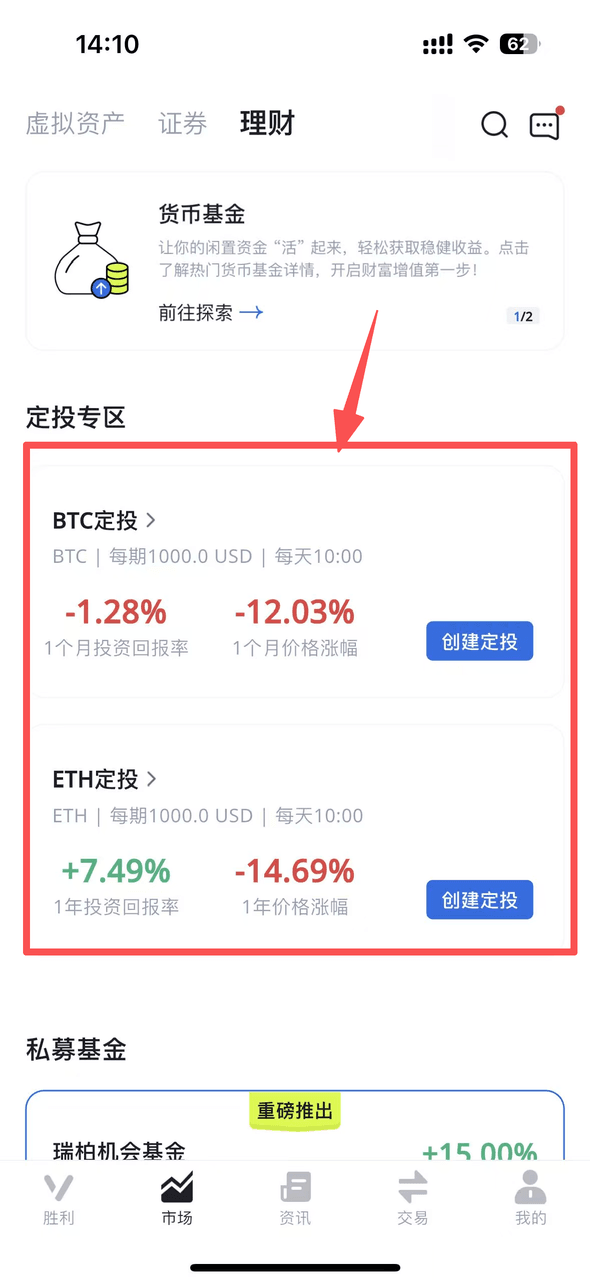 Market-Wealth-Recurring Zone | 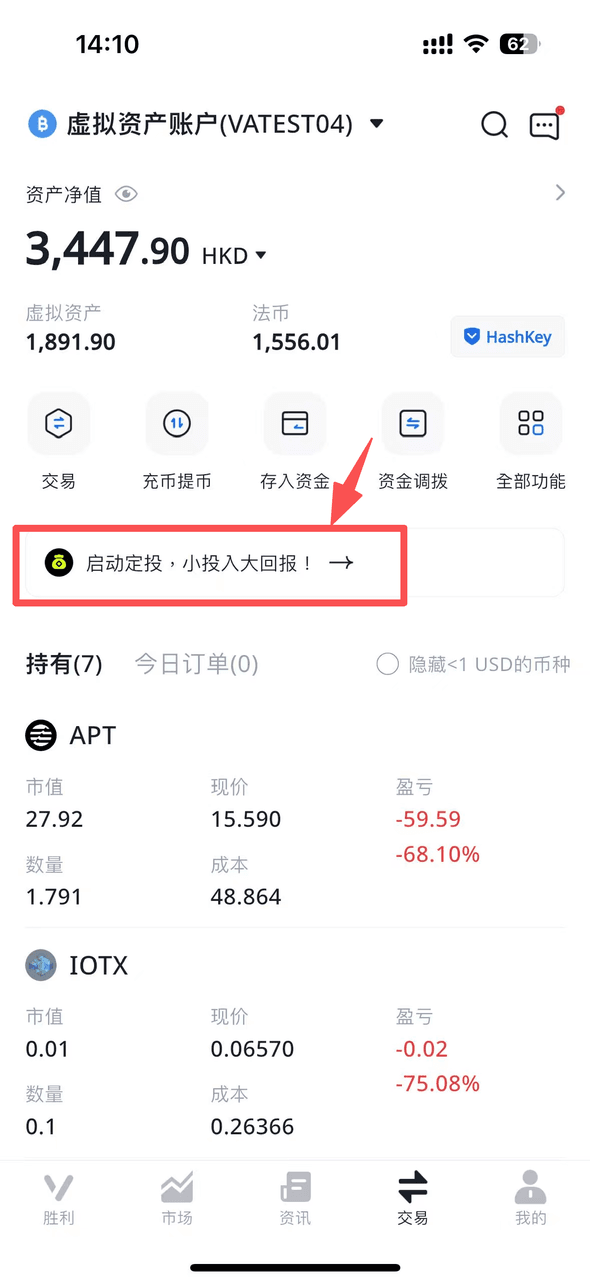 Trade - Below the main function menu |
Search Bar |
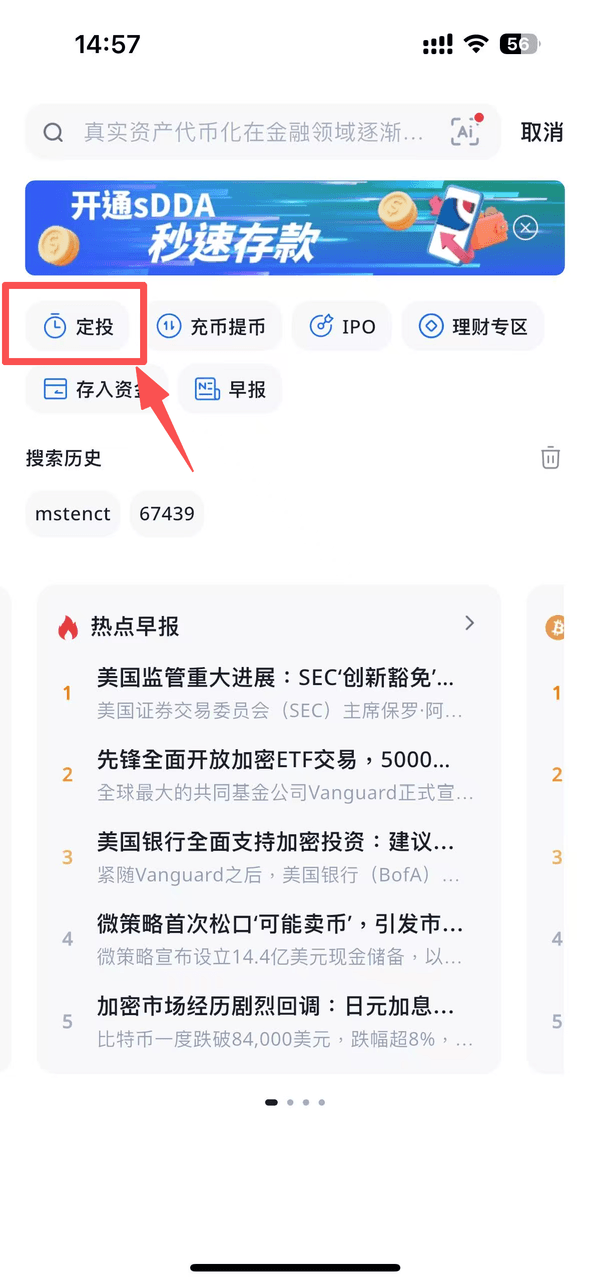
- Step-by-Step Creation Process
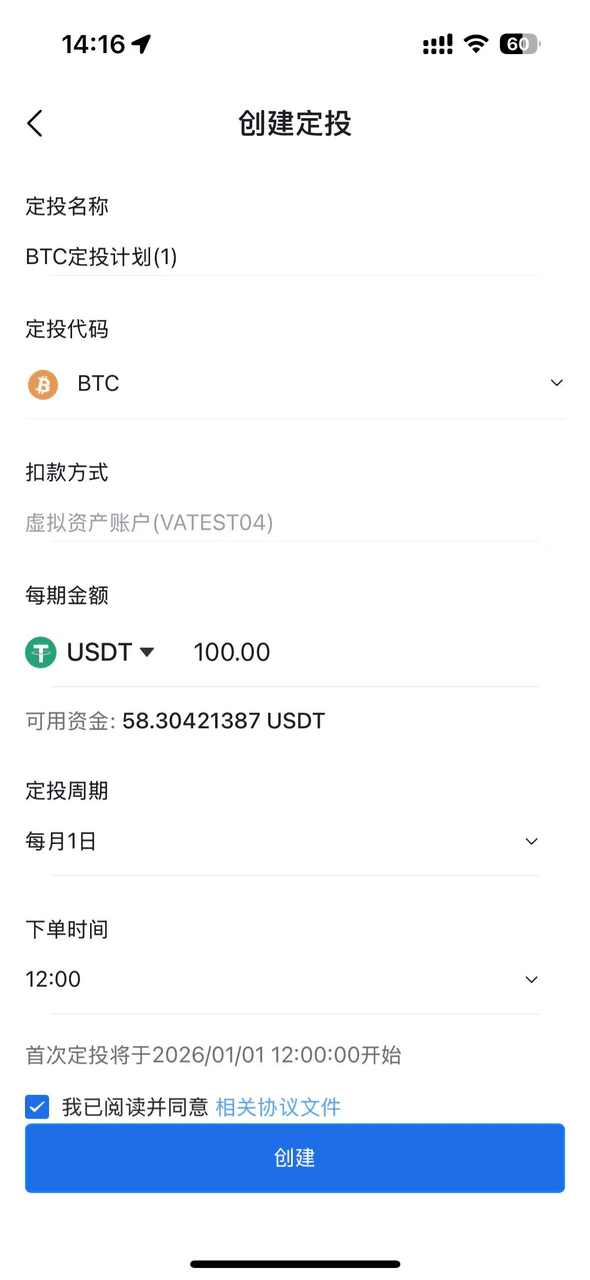
- Configure Your Plan: Fill in the required fields, including Plan Name, Target Asset, Contribution Amount per period, and Investment Cycle (Frequency). Once completed, tap "Create."
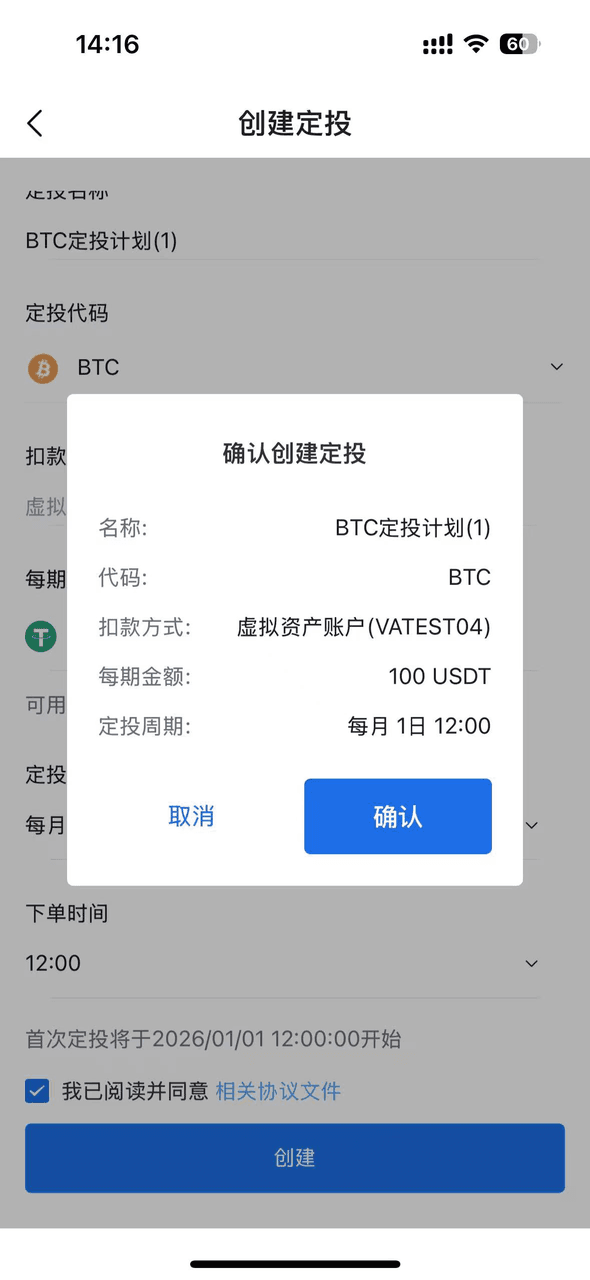
- Order Review: A confirmation pop-up will appear. Please review your strategy details for accuracy and tap "Confirm."
- Activation Success: A notification will confirm that your Auto-Invest plan has been successfully activated.
- Manage Your Plans
Create Investment plan |
Confirm plan |
Plan Launched |
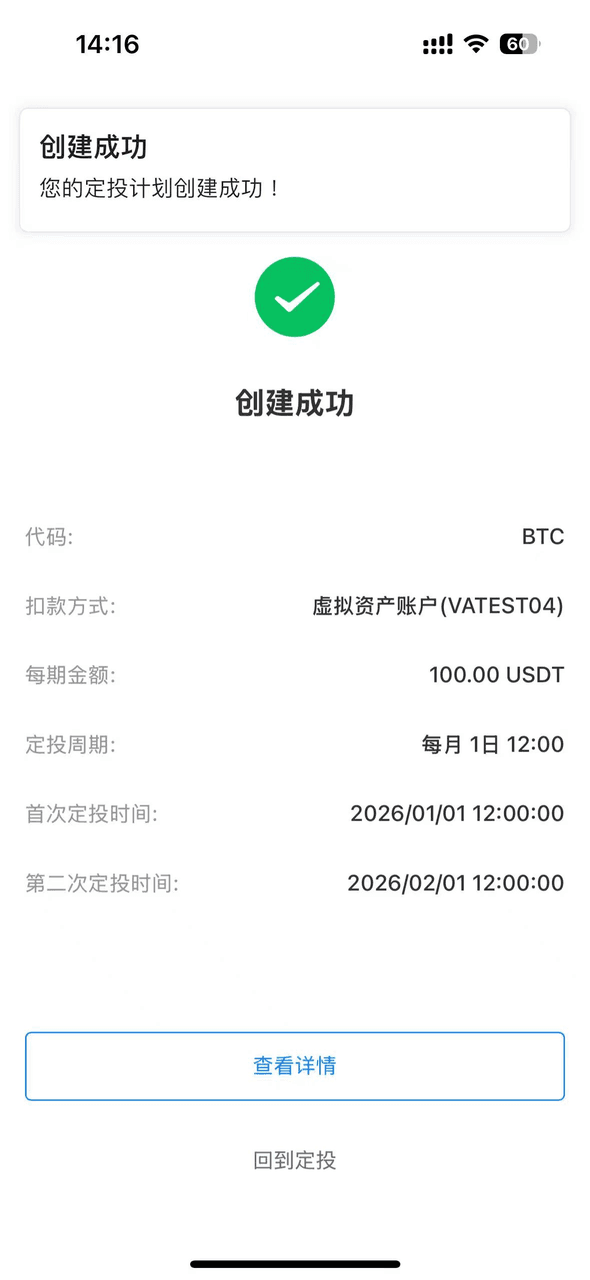
- Investment Plans: Displays all configured Auto-Invest strategies, categorized by status: Active or Terminated.
- Holding:View the specific virtual asset balance accumulated through your Auto-Invest plans. (Note: This represents holdings specific to your DCA strategy and may differ from the total balance displayed in your primary Trading Account.)
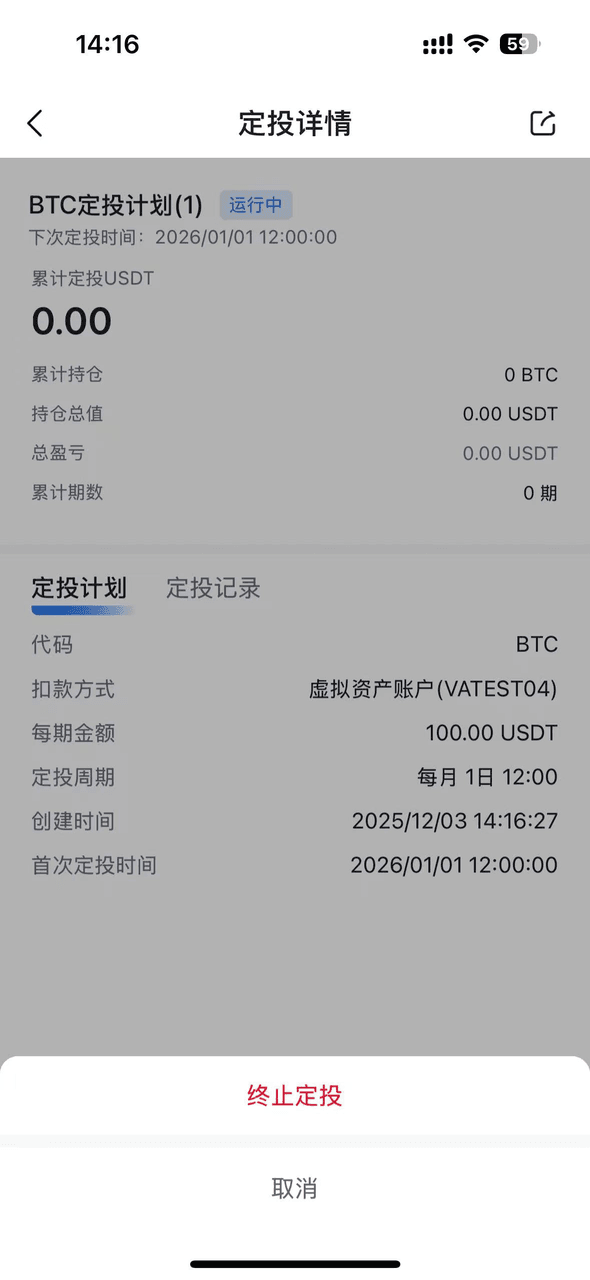
- Plan Details: Comprehensive summary of your selected Auto-Invest strategy (Asset, Amount, Frequency).
- Transaction Records: A history of all automated trades executed under the specific plan.
- Terminating a Plan
- Navigate to the Plan Overview page and tap the "Manage" button. Select "Terminate" to permanently stop all future scheduled trades for this record.
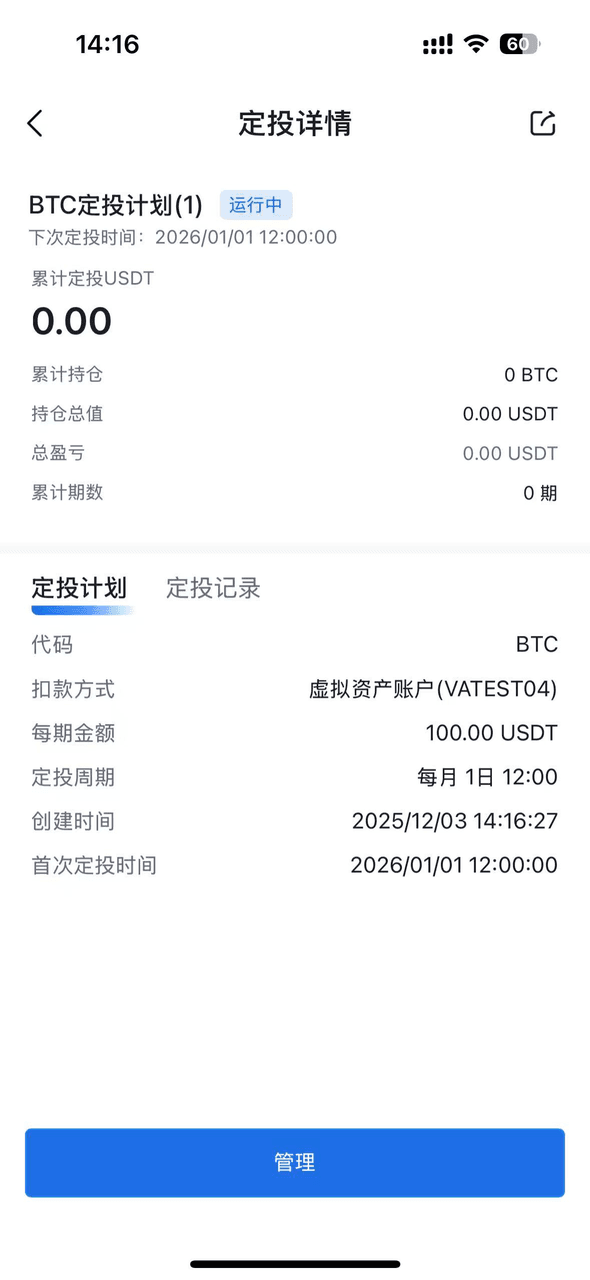 Investment Plan Details | 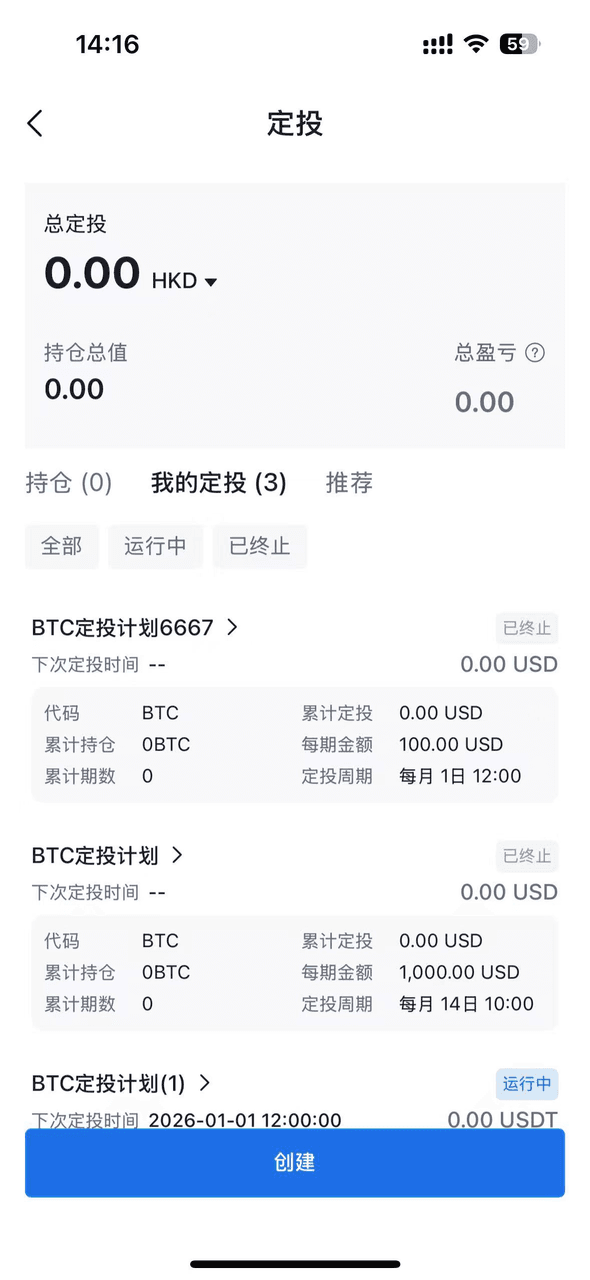 Investing Plan |
Terminated |